CoverageMap.com Launches New Cellular Info Tab, Bridging the Gap Between Speed Tests and Cellular Connection Stats
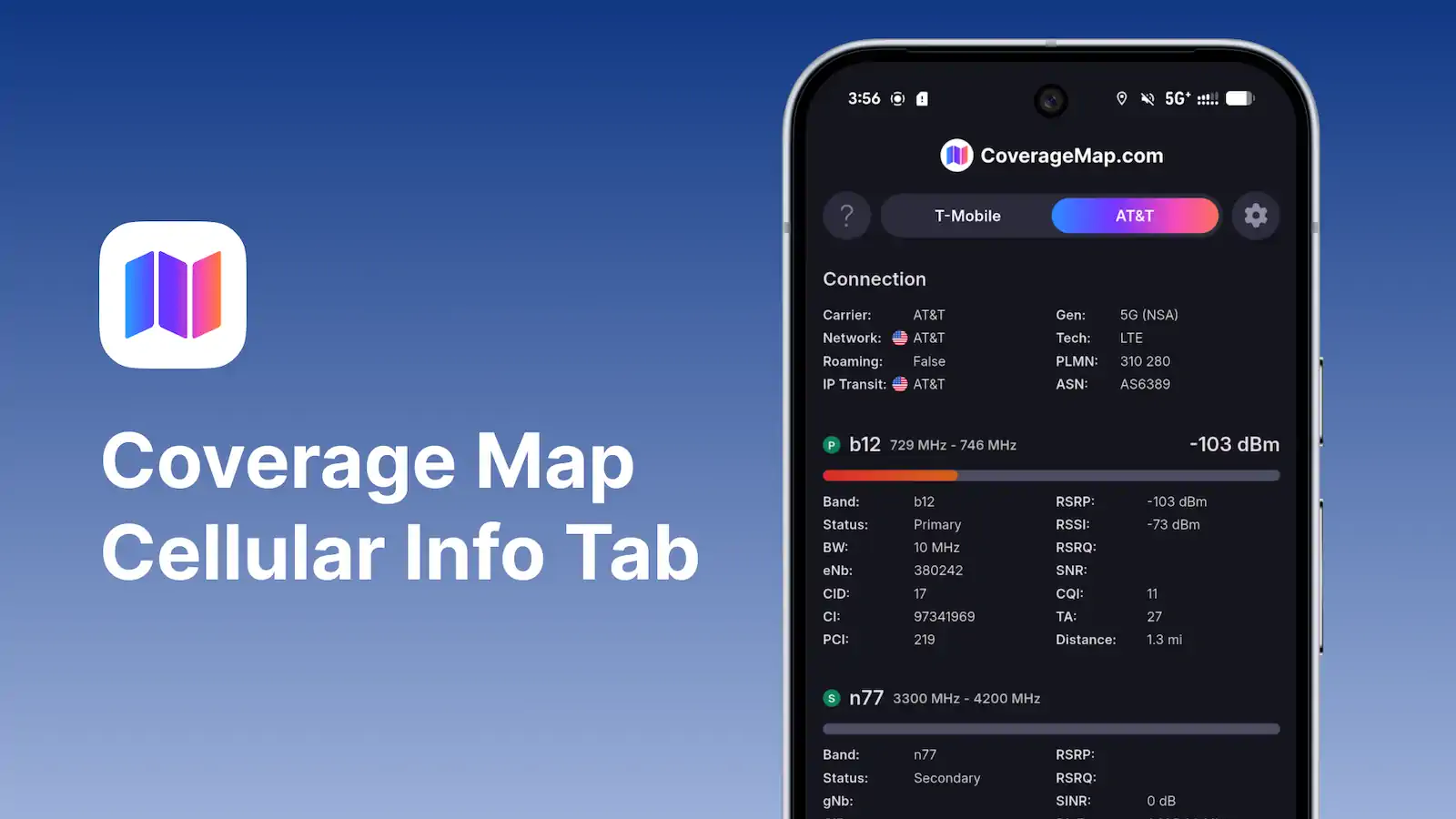
Longmont, CO –– CoverageMap.com today announced the launch of its new Cellular Info Tab inside the Coverage Map mobile application, delivering powerful, real-time insights into users’ cellular connections. With this update, Coverage Map becomes the first app to combine high-performance speed testing, comprehensive crowdsourced coverage maps, and deep cellular network information into a single, unified experience.
For years, consumers have had to toggle between multiple technical apps to understand why their data was slow or where their signal originated. The Cellular Info Tab eliminates this friction, giving consumers direct visibility into how their phone is truly connected to the network.
Demystifying the Mobile Connection
The Cellular Info Tab surfaces key technical details in a clean, consumer-friendly interface, including:
- Primary & Secondary Bands: Instantly see the main frequency band your phone is using and any additional bands connected for added speed and capacity. This makes it easy to confirm when your device is using carrier aggregation, a key technology that boosts performance.
- Bandwidth (MHz): View the width of the frequency channel allocated to the device. More bandwidth (e.g., 20 MHz vs. 5 MHz) directly correlates to higher potential throughput.
- eNB / gNB Identifiers: Identify the specific 4G (eNB) or 5G (gNB) cell tower a device is connected to, providing a new level of transparency regarding local network infrastructure.
- Signal Strength (RSRP): Get a precise look at signal quality ranging from excellent (-60dBm) to the cell edge (-120dBm).
Real-Time Cellular Insights During Speed Tests
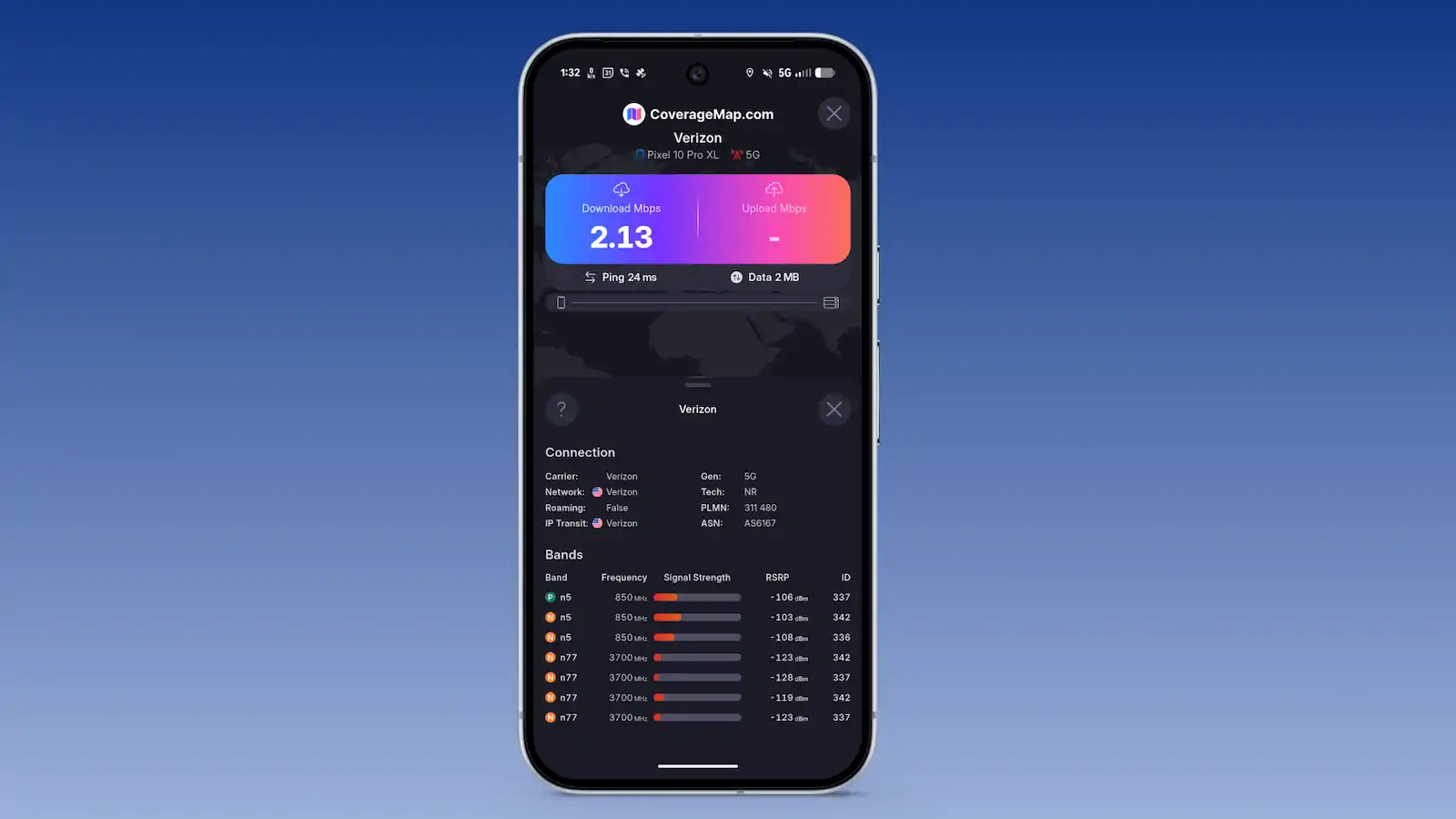
In a major functional breakthrough, CoverageMap.com has integrated these diagnostics directly into the speed testing workflow. With the tap of a button, users can show the Cellular Info Sheet while a speed test is in progress. This allows enthusiasts and everyday users alike to see exactly which bands and towers are responsible for their 5G or LTE performance at the very moment the test is running.
Education for Every User
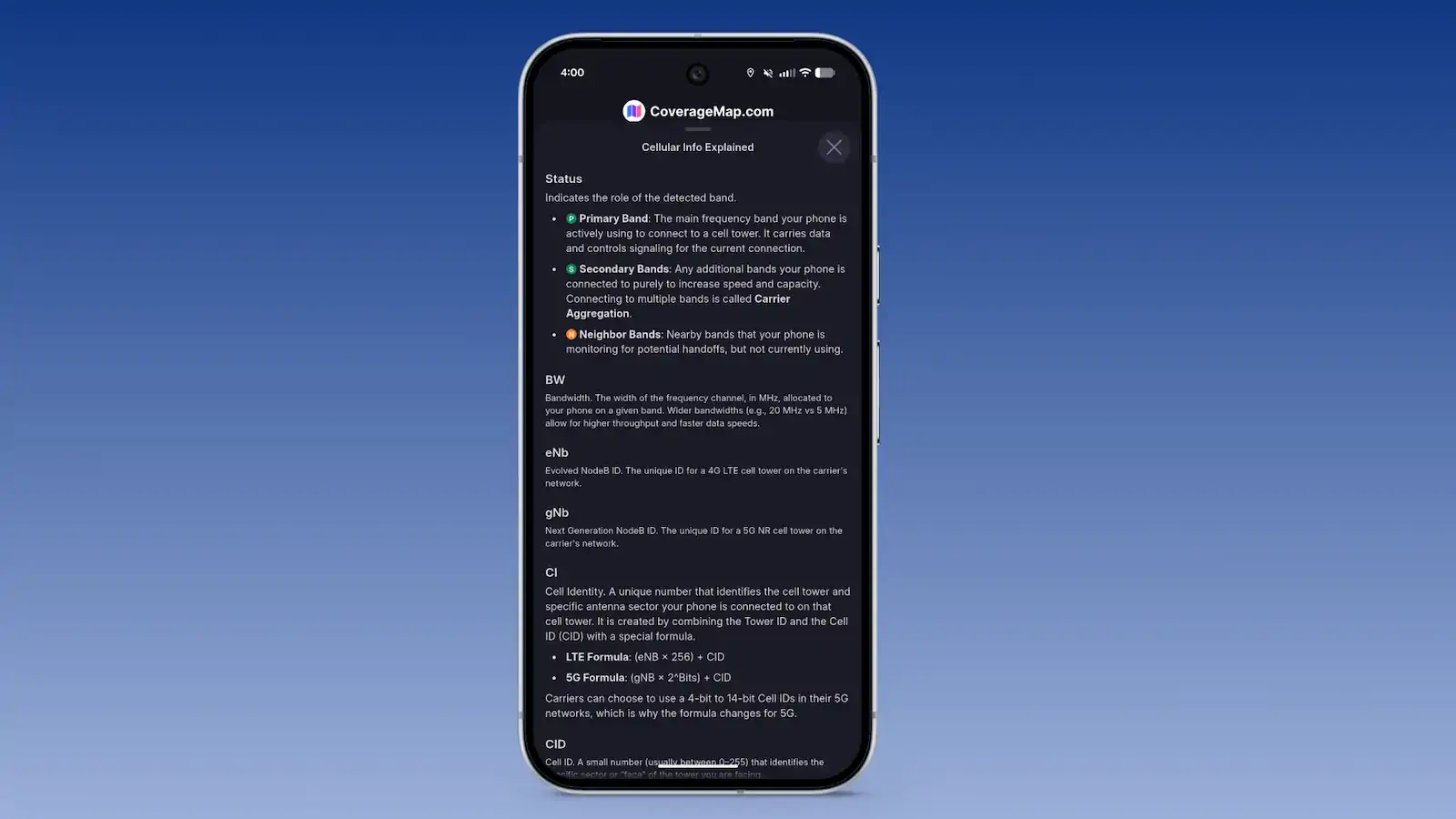
"Our goal has always been to empower the consumer with better data," said Trevor Mann, Co-Founder at CoverageMap.com. "But data is only useful if you understand it. That's why we included an integrated educational sheet that explains every metric in plain English. We aren't just giving you the numbers; we're helping you understand what they mean for your daily connectivity."
A New Standard for Cellular Apps
With this release, Coverage Map becomes the first and only application to combine:
- Crowdsourced cellular coverage maps
- On-device speed testing
- Live cellular connectivity information
All within a single platform.
By bridging performance testing with technical network transparency, CoverageMap.com continues its mission of helping consumers make smarter, data-driven decisions about their wireless service.
Availability
The Cellular Info Tab is available starting today on the Coverage Map app via the Google Play Store.
About
CoverageMap.com is painting a picture of what true cellular coverage looks like worldwide through crowdsourced data. Users can leverage the transparent view of performance between providers to make informed decisions about which provider is right for them.
Media Contact:
Stetson Doggett
Co-Founder
stetson@coveragemap.com