Map Cellular Signal Automatically
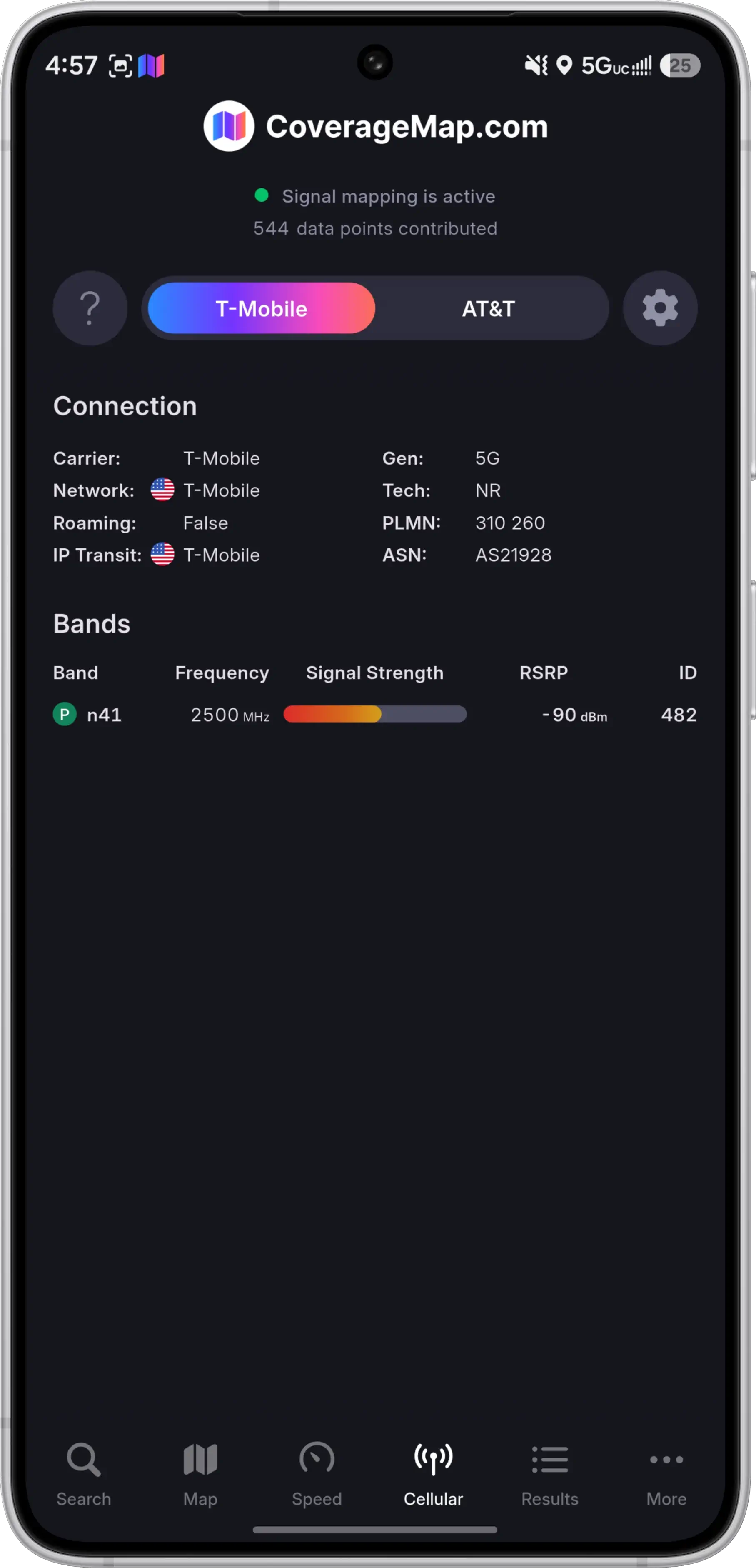
Signal mapping turns your Android phone into a passive network probe. Switch it on once and the CoverageMap app records real signal readings as you go about your day, then adds them to the free public Crowdsourced Map. No tests to start, nothing to tap.
What is signal mapping?
Carrier coverage maps show what a network is predicted to do. Signal mapping shows what your phone actually receives. As you move, the app samples the cellular connection and records the reception at each location, building a picture of real coverage instead of a modelled one.
Every reading is uploaded and processed in real time, so the measurements you collect show up on the Crowdsourced Map within minutes, next to contributions from users around the world.
- Measured reception from a real device on a real network
- Collected passively, with no test to trigger and nothing to watch
- Filtered before upload so repeat visits do not flood the map
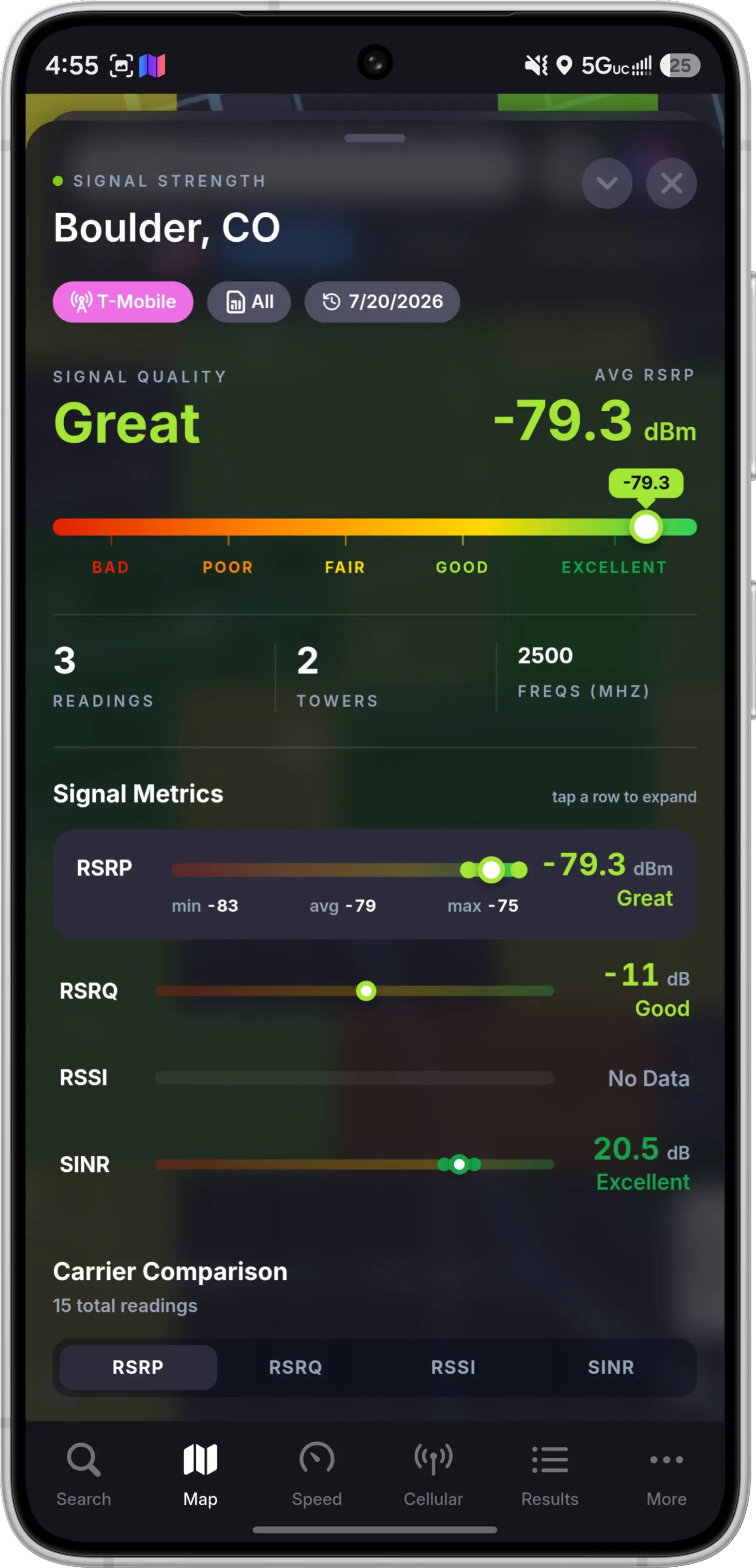
- RSRP
- RSRQ
- RSSI
- SINR
- Serving carrier
- Network technology
- Frequency bands
- Tower details
- Much More
Signal Mapping Features
Everything is designed around one idea: collect the most useful data possible while asking almost nothing of you or your phone.
Background Mapping
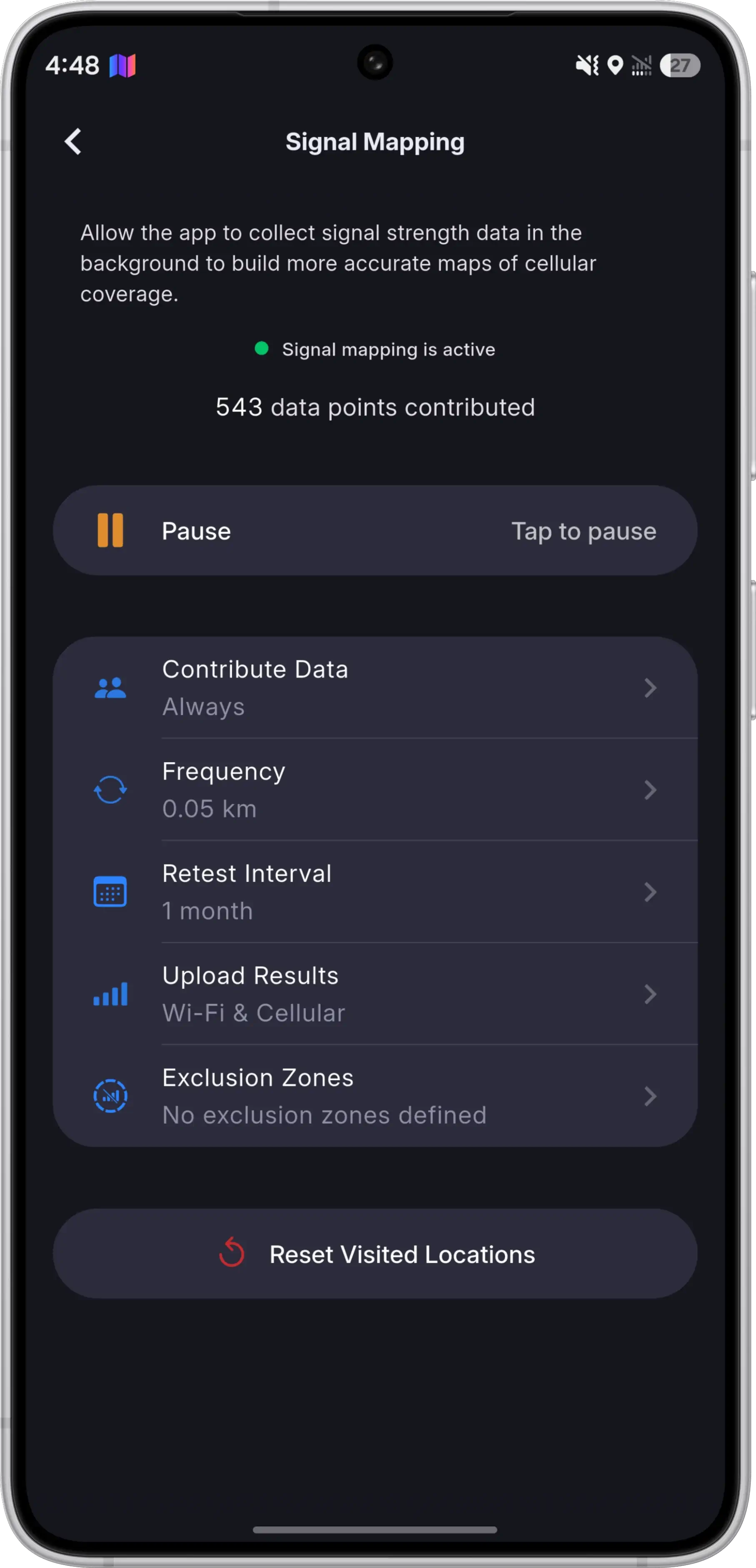
Let the app collect cell telemetry in the background and every commute, errand, and road trip turns into coverage data on its own. It stays your call: leave background mapping on, limit mapping to when the app is open, or turn it off completely.
Dual-SIM Mapping
If your phone has two active SIMs, both are mapped in parallel. A single trip produces a full set of readings for each carrier, with no switching back and forth between lines.
Roaming-Aware Attribution
Every reading is credited to the network your phone is actually connected to. Travel internationally on a local eSIM and your data lands under that roaming carrier instead of your home one.
Battery-Efficient by Design
Sampling and uploads are tuned and batched so mapping stays out of the way. Leaving signal mapping on all day has an impact on battery life you are unlikely to notice.
Exclusion Zones
Mark the areas you would rather keep off the map, like your home or your workplace. Mapping pauses the moment you enter a zone and resumes on its own once you leave.
Tower Data, Collected Today
Detailed tower information is already recorded with every reading. Tower mapping has not launched on the map yet, but when it does, all of the tower data collected up to that point comes with it.
Smart Duplicate Detection
Mapping the same parking space five hundred times helps nobody. Signal mapping fingerprints every reading against five values and only maps a location again when one of them changes.
You get a leaner dataset, far less uploading from your device, and a map that tracks genuine change instead of repetition.
Remap Distance
Decide how far you need to travel before nearby ground counts as new territory worth mapping again.
Recheck Interval
Decide how long an area you have already mapped stays settled before it becomes eligible for a fresh reading.
Tracked per location
Location
Where the reading was taken.
Carrier
The network serving your device.
Tower
The specific tower and cell you are connected to.
Frequency
The band carrying the connection.
Technology
The technology used to connect to the network (LTE, 5G, etc.).
When this combination stays the same, the reading is skipped. When any part of it changes, the location is mapped again.
How to Start Mapping
Three steps, and then it takes care of itself.
Install the Android app
Download the free CoverageMap app and create a free account to keep track of everything you contribute.
Switch on signal mapping
Choose whether mapping runs in the background or only while the app is open, set your exclusion zones and remapping preferences, then put your phone back in your pocket.
Watch the map fill in
Readings upload automatically and appear on the Crowdsourced Map within minutes, including your own contribution map.
FAQs
Is signal mapping available on iPhone?
Do I have to keep the app open while mapping?
Will signal mapping drain my battery?
Can I run speed tests while signal mapping is on?
What happens if my phone has two SIMs?
What happens when I travel internationally?
Will I map the same place over and over again?
What kind of data does signal mapping collect?
Can I stop the app from mapping my home?
What happens to my data if I delete my account?
Are you mapping cell towers yet?
Start Mapping Today
Download the free CoverageMap app for Android, turn on signal mapping, and every trip you take makes the map better for everyone.
Using an iPhone? Signal mapping is Android only, but you can still contribute with speed testing.